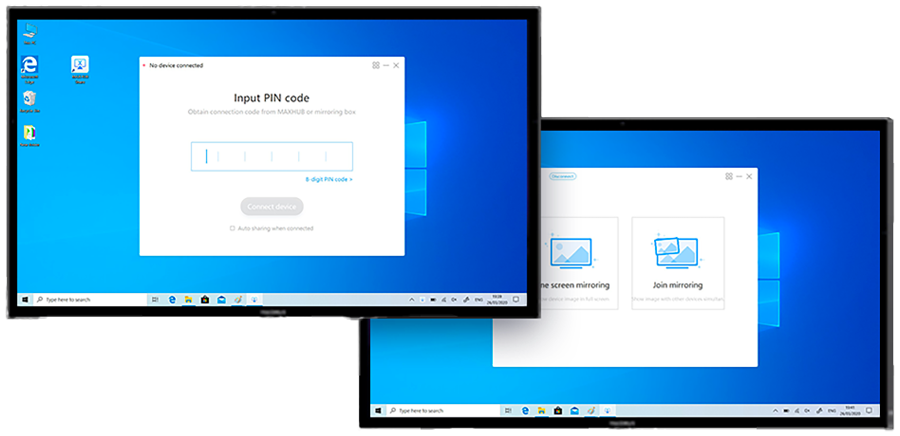
Connecting within Steps
Access the connection code of your MAXHUB Interactive Panel
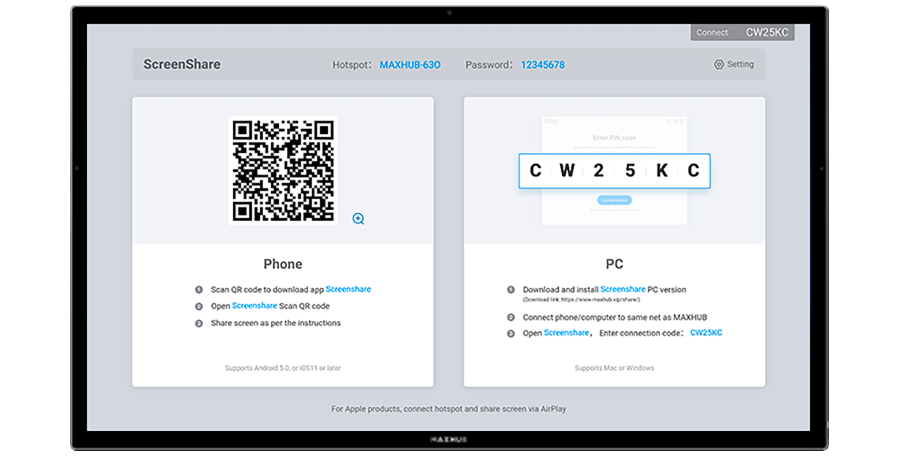
Scan the QR code via the MAXHUB Share app on your phone
or input connection code on your computer
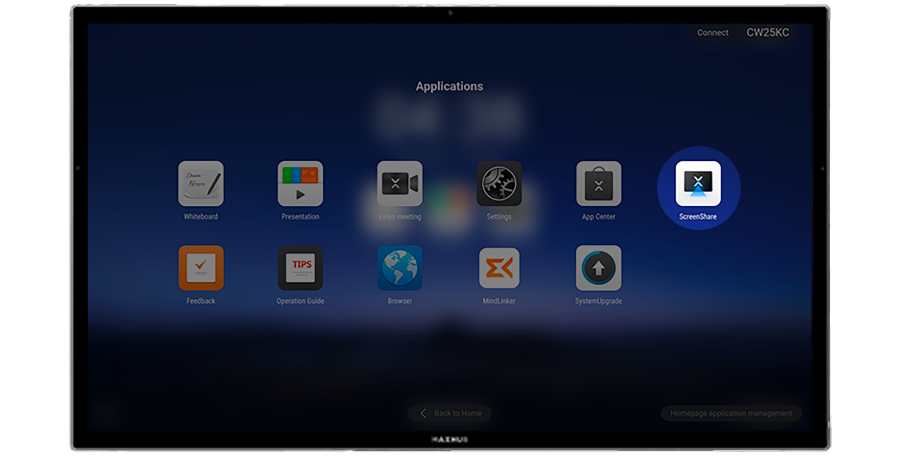
01
Find Screen-share on
MAXHUB Interactive Panel.
02
Open MAXHUB Screen-share and access connection (QR) Code.
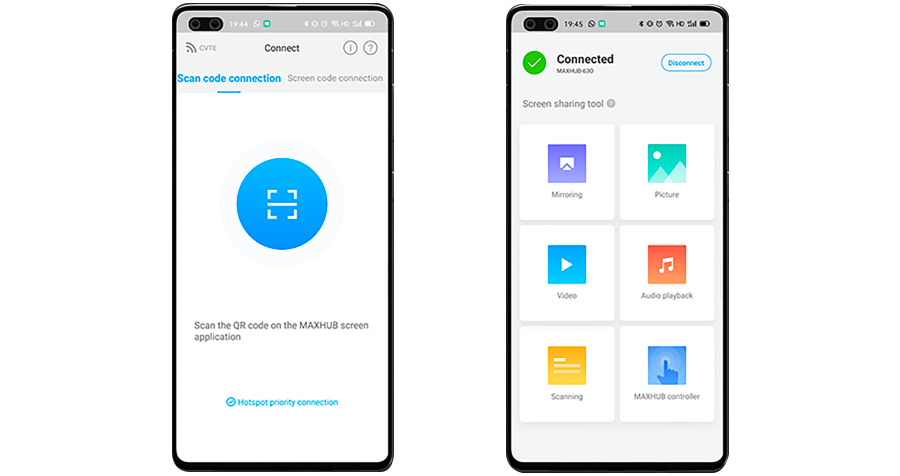
03
For mobile phone scan QR code and connect.
04
For computer input connection code.